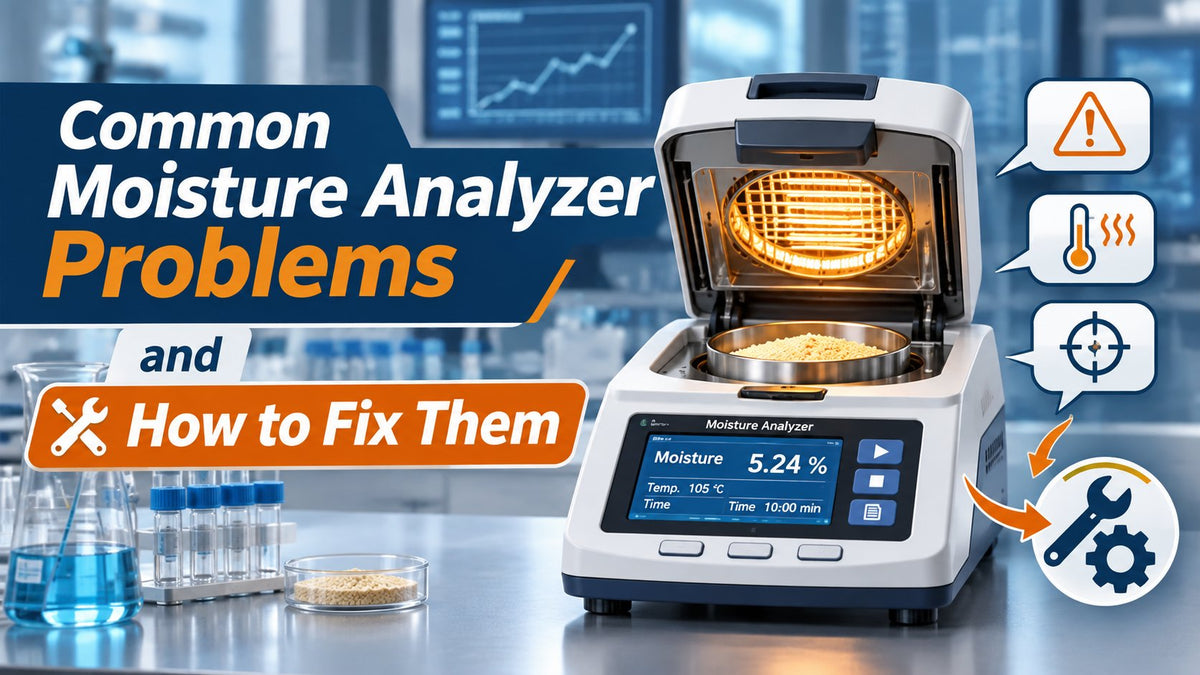
Moisture analyzers play an essential role in laboratories, manufacturing facilities, food processing plants, pharmaceutical operations, and quality control environments. These instruments help determine the moisture content of samples, allowing businesses to monitor product consistency, improve manufacturing processes, and support quality standards. However, even a high-quality moisture analyzer can develop performance problems that affect measurement accuracy, drying efficiency, and everyday productivity.
Common moisture analyzer problems include inconsistent moisture readings, incorrect temperature settings, slow drying cycles, weighing errors, contaminated heating components, and improper sample preparation. Some issues can be resolved through routine maintenance and correct operating procedures, while others require professional inspection or authorized technical support.
Understanding moisture analyzer troubleshooting can help laboratory personnel identify potential problems before they lead to inaccurate test results, wasted samples, or unnecessary downtime. This guide explains the most common moisture analyzer problems, what causes them, and how to fix them using safe, practical troubleshooting methods.
Introduction to Moisture Analyzer Troubleshooting
Reliable moisture analysis depends on several components working together and working properly. A moisture analyzer must measure the initial sample weight, apply controlled heating, track weight loss during drying, and calculate the moisture content according to the selected test method. If any part of this process is disrupted, the final result may become unreliable.
Inconsistent readings do not always indicate a damaged instrument. Sometimes the problem is caused by environmental conditions, poor sample handling, incorrect drying parameters, or incomplete calibration and performance verification. Recognizing the difference between an operating problem and an equipment fault is the first step toward effective troubleshooting.
Before making adjustments, check the instrument display for warning messages or error codes. Review the manufacturer's operating manual and confirm that the selected method matches the material being tested. If the analyzer is used in a regulated laboratory, follow the facility's approved procedures for maintenance, performance checks, and documentation, and make sure the instrument is calibrated on a schedule that aligns with laboratory quality requirements.
A useful troubleshooting approach begins with simple checks such as power connections, instrument placement, sample condition, and cleaning. More advanced problems involving heating electronics, temperature sensors, or internal weighing components should be referred to trained service personnel.
By addressing problems systematically, laboratories can improve the repeatability of moisture measurements and reduce interruptions to routine testing, and this article covers common problems in more detail for users.
What Is a Moisture Analyzer?
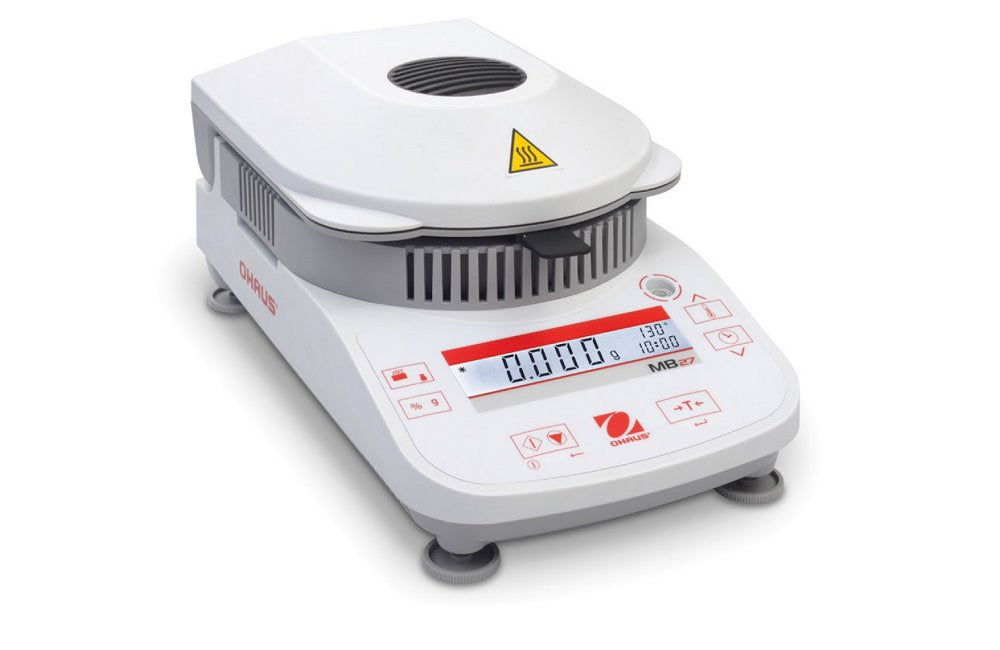
A moisture analyzer is an instrument designed to measure the moisture content of a sample. Many laboratory moisture analyzers use a method known as loss on drying (LOD), which calculates the change in sample mass as the material is heated under controlled conditions, and accurate results depend on the analyzer being properly calibrated for both weighing and heating.
A typical halogen moisture analyzer combines a precision weighing system with a heating chamber. The operator places a sample onto a suitable pan, selects the required drying program, and starts the measurement. The analyzer records the initial weight and monitors weight changes as heating continues.
Once the test reaches its programmed endpoint, the instrument calculates and displays a result, commonly expressed as a percentage of the initial sample mass. For a conventional wet-basis loss-on-drying calculation, moisture percentage is calculated by dividing the measured mass loss by the initial sample mass and multiplying by 100.
It is important to understand that loss on drying measures total mass lost during heating, not necessarily water alone. Depending on the material, volatile solvents or other compounds may evaporate, while decomposition or oxidation can also affect the result. For this reason, the drying method should be validated for the specific sample and application, and calibration schedules should align with laboratory quality requirements.
Moisture analyzers are widely used to examine food ingredients, powders, pharmaceutical materials, chemical products, plastics, agricultural samples, and other substances where moisture content influences quality.
Different models provide varying weighing capacities, readability levels, heating technologies, temperature controls, and software features. Choosing an appropriate analyzer helps ensure that the equipment matches the measurement requirements of the laboratory and gives users enough detail to understand the instrument basics. Explore the laboratory moisture balances and analyzers at DSC Balances to compare equipment for routine loss-on-drying tests and quality control applications.
Common Problems With Moisture Analyzers
Moisture analyzer problems can occur during startup, sample weighing, heating, drying, or result calculation. Identifying when the error appears often makes troubleshooting easier.
Possible causes include a power-related issue when the instrument fails to start, an unstable weighing environment or inconsistent sample preparation when measurements fluctuate, and incorrect drying temperatures, contaminated components, or an unsuitable test method when moisture values are unexpectedly high or low.
Rather than changing several settings at once, identify one potential cause, make an appropriate correction, and repeat a controlled test. Record the results so that changes in instrument performance can be evaluated.
Equipment Does Not Power On
One of the most basic moisture analyzer problems occurs when the equipment does not power on. A blank screen, unresponsive power button, or failure to complete startup may indicate an interrupted electrical supply or an internal equipment fault.
Begin by checking whether the power cable is securely connected to both the analyzer and the electrical outlet. Confirm that the outlet is functioning correctly and that the instrument is connected to the voltage specified by its manufacturer.
If the analyzer uses an external power adapter, verify that the adapter is approved for the instrument and shows no visible signs of damage. Avoid substituting a different adapter unless it meets the exact manufacturer requirements.
Inspect the power cable for visible wear, damaged insulation, or loose connections. If the cable or plug appears damaged, disconnect the equipment and arrange for replacement rather than continuing to use it.
Some instruments require a specific startup sequence or may display a message during initialization. Consult the user manual if the screen turns on but the system does not finish loading.
If the electrical supply is correct and the instrument remains unresponsive, the cause may involve a defective power switch, internal fuse, power supply, or electronic control board. These components should be inspected only by authorized service personnel.
Do not open the analyzer housing or attempt electrical repairs without appropriate training. Internal electrical components can present shock hazards even when the equipment is disconnected.
Inconsistent Moisture Readings
Inconsistent moisture readings occur when repeated tests on comparable samples produce noticeably different results. This issue can make it difficult to evaluate product quality or compare measurements between production batches.
One possible cause is inconsistent sample weight. If the quantity of material varies significantly between tests, drying performance may also change. Samples that are too thick can dry unevenly, while samples that are too small may not represent the material accurately.
Sample distribution is equally important. A sample spread unevenly across the pan may experience different heating conditions than one arranged in a uniform layer.
Environmental disturbances can also affect results. Air drafts, bench vibrations, unstable room temperatures, and nearby equipment may interfere with the integrated balance. Static electricity can also destabilize results, and using anti-static solutions can help mitigate unstable weight readings.
To improve repeatability, establish a standardized testing procedure that defines the sample size, preparation method, drying temperature, endpoint criteria, and handling requirements.

Use comparable samples and repeat measurements under consistent conditions. If the results remain unstable, check possible causes systematically, including the weighing system and heating performance, according to the manufacturer's verification procedures.
A stable instrument, uniform sample preparation, and validated drying method are essential for obtaining repeatable moisture measurements. For laboratories handling routine moisture testing, explore the OHAUS MB32 moisture analyzer, which offers 90 g weighing capacity and 0.001 g readability.
Incorrect Moisture Content Results
An analyzer may produce consistent results that are nevertheless incorrect. This can happen when the selected method is unsuitable for the sample, the heating temperature is inappropriate, or the instrument has not been properly verified.
For example, a drying temperature that is too low may leave residual moisture in the sample, producing a moisture result that is lower than the actual value. A temperature that is too high may cause the material to decompose or release substances other than water, increasing the apparent mass loss. For heat-sensitive materials, a stepwise drying program may work better.
Incorrect endpoint settings can also affect results. If the test stops before drying is complete, the displayed moisture percentage may be too low. If the sample undergoes chemical changes during prolonged heating, the result may become artificially high.
Start by confirming that the correct drying program is selected. Review the method parameters, including temperature, drying profile, sample quantity, and switch-off criteria.
Next, verify the weighing and heating functions using manufacturer-approved procedures, and ensure both are calibrated or verified as required. Where appropriate, compare moisture analyzer results with a validated reference method, such as an established drying-oven procedure or another suitable moisture determination technique.
If the reference method measures a different property, such as water-specific content rather than total loss on drying, differences should be interpreted carefully rather than treated as automatic evidence of instrument failure.
Reliable results require a method that has been shown to work for the material being tested. Compare instruments in the OHAUS moisture analyzer collection to find models suited to laboratory testing methods and everyday moisture-content determination.
Temperature Fluctuations During Analysis
Temperature control is critical to moisture analyzer performance because the heating process determines how effectively the sample loses moisture.
Unexpected temperature fluctuations can cause incomplete drying, excessive heating, inconsistent drying times, or unreliable moisture content measurements. They may result from contaminated heating components, incorrect settings, temperature sensor problems, or faults within the heating system.
Before assuming the instrument is defective, confirm that the selected temperature and heating program are appropriate for the sample. Review any displayed error messages and make sure the heating chamber is correctly closed during operation.
Temperature performance should be evaluated using a manufacturer-approved temperature verification or adjustment procedure. The required equipment and test conditions vary between analyzer models.
Halogen Lamp Problems
Many laboratory moisture analyzers use a halogen heating element to deliver controlled heat during the drying cycle. Over time, heating performance can be affected by component wear, contamination, or electrical faults.
Common signs of a heating problem include unusually slow temperature rise, inability to reach the selected temperature, interrupted drying cycles, or heating-related error messages.
Begin by checking the display for a relevant warning and reviewing the operating manual. If the heating chamber or protective glass is contaminated, perform cleaning only according to the manufacturer's instructions. Staff should also periodically check the halogen lamp for wear or damage and replace it if necessary according to the manufacturer.
Residue on protective surfaces can interfere with the transfer of heat to the sample. Keeping these surfaces clean can therefore help maintain consistent heating performance.
If the heating element is damaged or fails to operate, stop using the analyzer and contact an authorized service provider. Halogen heating components may remain extremely hot after operation and should never be handled until the instrument has cooled sufficiently.
Do not touch, remove, or replace the heating element unless the manufacturer explicitly permits the procedure and you are qualified to perform it.
Heating Temperature Errors
Heating temperature errors may appear when the analyzer cannot achieve its selected temperature or when temperature verification identifies an unacceptable deviation.
These issues can arise from an incorrect drying program, contaminated temperature sensor, damaged heating components, unsuitable environmental conditions, or an instrument requiring adjustment.
To investigate, confirm the temperature setpoint and ensure the correct method has been selected. Check whether the instrument has completed any required warm-up or stabilization procedure.
If the analyzer provides temperature verification functionality, perform the check using an approved temperature testing kit and the manufacturer's procedure.

Temperature calibration or adjustment should not be confused with simply changing the drying setpoint. Calibration evaluates the instrument's performance against an appropriate reference, while adjustment changes the instrument's settings to correct an identified deviation; when verification shows a deviation, the analyzer should be calibrated for temperature performance rather than corrected only by changing the setpoint.
If temperature verification fails repeatedly, arrange professional service before using the analyzer for critical measurements.
Longer Analysis Times
A moisture analyzer that takes longer than expected to complete a test may be operating with unsuitable drying parameters or experiencing problems with heat transfer.
Excessive sample quantity is a common cause of extended drying times. Thick layers can slow moisture evaporation because heat must penetrate the material before moisture can escape from the interior.
Uneven sample distribution can produce similar problems. Clumps, large particles, and samples that form a surface crust may prevent efficient drying.
Another possible cause is a temperature setting that is too low for the validated application. Although increasing the temperature may shorten the analysis, it can also cause overheating, oxidation, or sample degradation.
Review the drying method and confirm that the sample is prepared consistently. Spread the material into a thin, uniform layer when appropriate, and use manufacturer-recommended sample quantities.
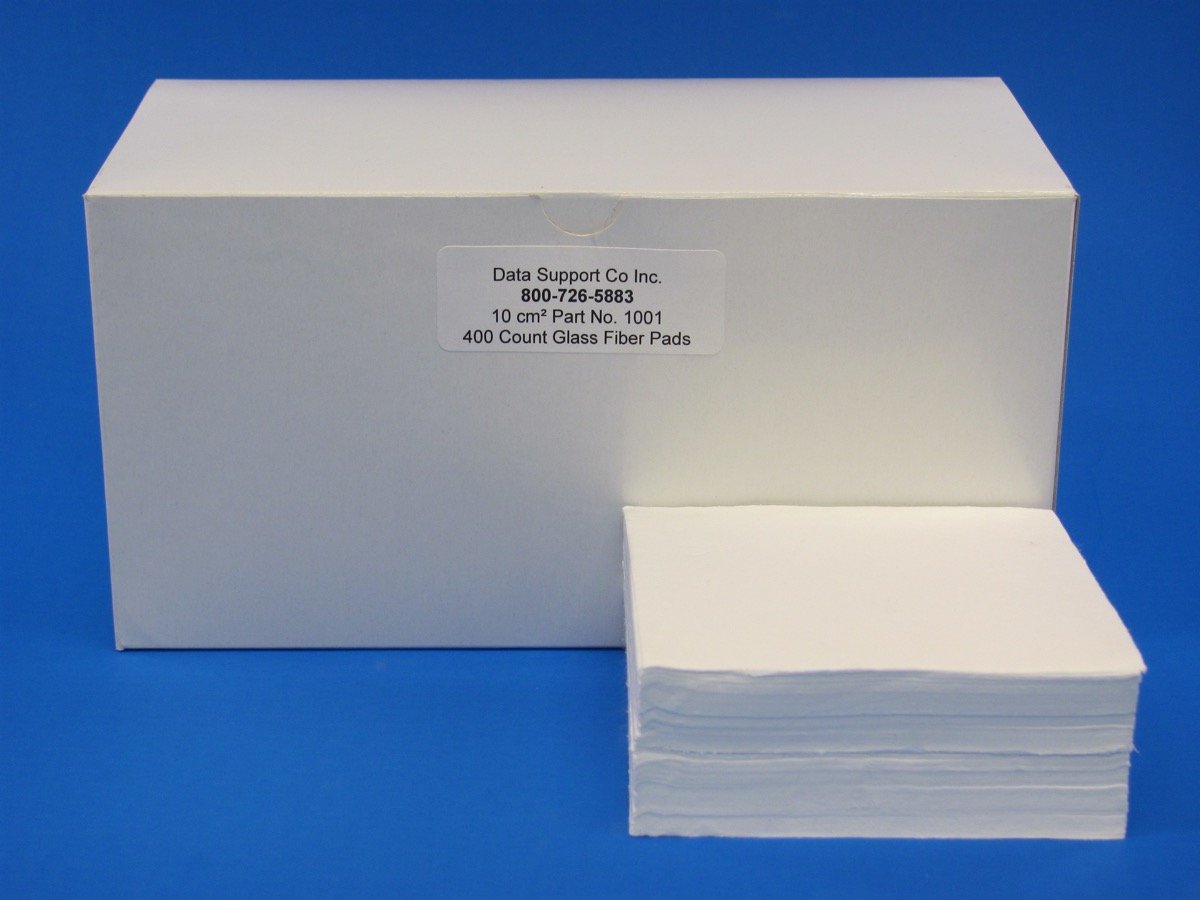
For liquid or paste-like materials, approved sample pads or glass-fiber filters may help distribute the sample and improve drying behavior, provided they are suitable for the test method.
Also check whether the endpoint criterion is appropriate. An overly strict switch-off condition may extend testing unnecessarily, while a loose criterion may stop the analysis before drying is complete.
If analysis times suddenly increase despite unchanged samples and methods, inspect the heating system and arrange performance verification. Explore the A&D Weighing MX-50 halogen moisture analyzer, featuring selectable heating modes for laboratories developing sample-specific drying procedures.
Weighing System Problems
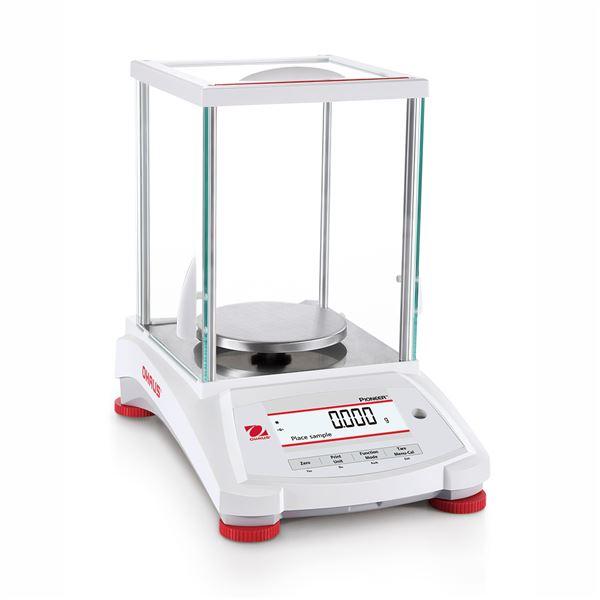
The integrated weighing system measures sample mass before and during drying. Any instability in this system can influence the calculated moisture percentage.
Common weighing problems include drifting readings, unstable zero values, incorrect tare results, overload messages, and inconsistent measurements of reference weights.
Begin by placing the analyzer on a firm, level, vibration-resistant surface. Confirm that the instrument is leveled according to its operating instructions and that the sample pan and support are correctly installed.
Check for residue or foreign material that may interfere with the weighing mechanism. Static electricity can also cause drifting or unstable readings, and approved anti-static solutions may help. However, never attempt to move or clean internal balance components beyond the procedures permitted by the manufacturer.
Make sure the sample pan is not overloaded and that the total mass of the sample and accessories remains within the analyzer's rated capacity.
If the instrument requires a warm-up period, allow it to stabilize before performing measurements.
Next, perform the prescribed balance calibration or verification procedure using suitable certified or traceable reference weights, as required by your quality system, and ensure the weighing system is properly calibrated on a defined schedule.
A successful weighing check does not automatically confirm that the heating system is accurate. Both functions should be evaluated when investigating moisture result errors.
If the analyzer continues to display unstable readings after basic checks, contact qualified technical support rather than attempting internal load-cell repairs.
Sample Preparation Errors
Improper sample preparation is one of the most common causes of inaccurate moisture analysis, even when the equipment is functioning correctly.
The sample must represent the material being tested. If moisture is unevenly distributed within a batch, testing a nonrepresentative portion can produce misleading results.
For powders and granules, inconsistent particle sizes can affect heating and drying. Larger particles may retain moisture longer than smaller particles under the same conditions.
For liquid samples, spills, splashing, or uneven distribution can influence weight measurements. Pastes and sticky materials may form a surface layer that slows further moisture release.
Follow a documented sampling procedure and use clean, dry sample pans suitable for the instrument. Prepare samples consistently and minimize unnecessary delays between preparation and analysis.
When appropriate for the material, spread the sample evenly across the pan to promote uniform heating.
Avoid excessive grinding or mixing that might generate heat and change the sample's moisture content before the test begins.
Hygroscopic materials require particular care because they can absorb moisture from surrounding air. Other samples may lose moisture during handling or storage.

For difficult samples, develop and validate a specific preparation method instead of relying on a general-purpose drying program.
Correct sample preparation improves repeatability and helps ensure that the displayed result reflects the material being tested. For laboratories testing a range of liquid, paste, and solid samples, consider the Sartorius MA160-1US moisture analyzer, which supports configurable drying methods.
Environmental Factors Affecting Results
Moisture analyzers are sensitive laboratory instruments, and their surroundings can influence both weighing and drying performance.
Air drafts from ventilation systems, open windows, or nearby fans may destabilize weight readings. Vibrations from other equipment can also interfere with the integrated balance.
Direct sunlight, fluctuating room temperatures, and unstable humidity may change how quickly a sample gains or loses moisture before analysis.
Install the analyzer on a stable laboratory bench away from obvious sources of vibration, drafts, and rapid temperature changes.
Allow the equipment to reach the recommended operating temperature before use, especially after moving it between environments.
Keep the immediate testing area clean and avoid placing the analyzer near sources of steam, splashing liquids, or chemical vapors.
Where laboratory conditions vary significantly, monitor relevant environmental parameters and investigate whether changes correspond with shifts in analytical results.
A controlled measurement environment supports better repeatability and reduces unnecessary troubleshooting.
Dew Point and Condensation Issues
Condensation can occur when a surface becomes cooler than the dew point of the surrounding air. In a laboratory, this may happen when an instrument or sample is moved from a cold environment into a warmer, more humid room.
Moisture forming on sample containers, weighing accessories, or instrument surfaces can affect weighing accuracy and sample condition.
Condensation may be particularly problematic when handling refrigerated samples or temperature-sensitive materials. Water forming on the exterior of a sample container can accidentally enter the weighing process.
To reduce these problems, allow suitable samples and accessories to equilibrate under controlled conditions when the test method permits. Keep samples in appropriate sealed containers until analysis.
However, do not leave moisture-sensitive materials exposed to room air unnecessarily, as this may change the very moisture content being measured.
If condensation appears on or inside the analyzer, stop testing and follow the manufacturer's instructions before restarting. Do not operate equipment with suspected internal moisture contamination.
Controlling temperature differences, humidity, and sample handling procedures can minimize condensation-related measurement errors.
Contamination and Cleaning Issues
Dust, spilled samples, grease, and accumulated residue can interfere with moisture analyzer operation. Contamination may affect the sample pan, weighing mechanism, protective heating surfaces, and surrounding equipment.
Residue left from previous tests can also contaminate new samples and influence moisture measurements.
Develop a regular cleaning routine based on the substances tested and the manufacturer's recommendations. Remove used sample pans promptly and clean accessible surfaces after the analyzer has cooled.
Use only cleaning materials approved for the instrument. Avoid abrasive tools, excessive liquids, and harsh solvents that could damage sensitive components.
Never spray cleaning solution directly into electrical openings, the heating chamber, or the weighing mechanism unless the manufacturer explicitly authorizes it.
If sample material reaches an inaccessible internal area, arrange professional cleaning or service rather than attempting to disassemble the analyzer.
In laboratories handling powders, oils, or sticky substances, preventive cleaning is especially important because residue may build up gradually without causing an immediate warning.
A clean moisture analyzer reduces cross-contamination risks and helps maintain consistent measurement conditions.
Moisture Meter Reading Problems
Moisture meters and laboratory moisture analyzers are related measurement devices, but they do not always use the same testing principle.
A laboratory loss-on-drying moisture analyzer determines mass change during controlled heating. By contrast, many handheld moisture meters estimate moisture using electrical resistance, capacitance, or other indirect measurement techniques.
Handheld meters are commonly used for materials such as wood, building products, and some agricultural commodities. Laboratory moisture analyzers are often used for controlled sample testing in quality control applications.
Because the measurement methods differ, a handheld moisture meter and a laboratory moisture analyzer may produce different values for the same material.
These differences do not automatically mean that one device is defective. Each instrument may require a different calibration method, material-specific setting, or reference procedure.
Before comparing results, confirm that both instruments measure moisture on a comparable basis and are appropriate for the sample.
Moisture Meter Displays Incorrect Values
Incorrect moisture meter readings may result from inappropriate material settings, low battery power, poor sensor contact, contamination, or operation outside the meter's specified measurement range.
For resistance-based meters, the electrical properties of the material influence the reading. Temperature, material composition, and electrode contact can affect the estimate.
Capacitance-based meters may respond differently depending on density, sample thickness, and the surrounding measurement environment.

Begin by selecting the correct material mode and checking the instrument's operating instructions. Inspect accessible electrodes or sensing surfaces for contamination and perform the recommended functional check.
If the meter requires a calibration check or reference block, use the correct accessory and follow the manufacturer's procedure.
When evaluating moisture readings against a laboratory moisture analyzer, use an appropriate comparison method and account for differences in measurement principles.
If unexplained errors continue, contact the meter manufacturer or an authorized service center.
Common Operator Errors
Operator technique can significantly influence moisture analyzer results. Even a properly functioning instrument may produce unreliable measurements if its operating procedure is not followed consistently.
One common error is selecting the wrong drying method. A temperature or endpoint suitable for one material may be inappropriate for another.
Another mistake is placing samples onto a hot pan or failing to allow the weighing system to stabilize before starting a measurement. This can affect initial mass readings and introduce unnecessary variability.
Handling samples with wet or contaminated tools may also change their moisture content before analysis.
Some operators begin testing without verifying the selected method, checking the instrument's leveling condition, or confirming that the sample pan is correctly positioned.
Others attempt to improve results by repeatedly changing settings without recording what was adjusted. This makes it difficult to identify the original cause of the problem.
To reduce operator errors, provide training on sample preparation, method selection, weighing procedures, temperature safety, and instrument maintenance.
Create a standard operating procedure that explains how to perform routine checks, respond to error messages, document measurements, and recognize conditions requiring service.
Consistent operator practices help improve measurement reliability when users follow the same standard practices across different shifts and laboratory personnel.
When to Contact Technical Support
Some moisture analyzer problems can be corrected through normal cleaning, leveling, method selection, or performance checks. Other issues require inspection by trained technicians.
Contact technical support if the analyzer repeatedly fails to reach its programmed temperature, displays persistent electronic errors, produces unstable weight readings despite proper installation, or fails manufacturer-approved performance verification. For air-sampling or moisture-probe setups, also check the sampling system for leaks and confirm that sample flow is correct and stable according to the vendor manual.
Professional assistance is also appropriate when the heating element, temperature sensor, power supply, or internal weighing mechanism appears damaged.
Before contacting support, record the analyzer's brand, model, serial number, error messages, and a clear description of the problem.
Include details about the sample type, selected drying method, operating environment, recent maintenance, and any troubleshooting steps already performed to confirm the analyzer is working properly before returning it to critical use.
Providing this information can help the service team identify likely causes more efficiently.
If the analyzer cannot meet the accuracy, repeatability, or documentation requirements of your laboratory, consider whether repair, recalibration, or replacement is the most practical option. Browse the Sartorius moisture balances and analyzers at DSC Balances to compare laboratory moisture-testing options when evaluating replacement equipment.
DSC Balances offers moisture analyzers from established manufacturers, including OHAUS, Sartorius, A&D Weighing, and other laboratory equipment brands. Laboratories can compare models with different weighing capacities, readability levels, heating technologies, and application features.
Explore the DSC Balances moisture analyzer collection to identify equipment that fits your laboratory's testing requirements.
Final Troubleshooting Tips
Effective moisture analyzer troubleshooting begins with identifying whether the problem comes from the heating system, weighing components, sample preparation, or testing environment, and reviewing possible causes one at a time rather than changing multiple settings at once.
If the analyzer does not start, check the electrical supply and external connections. If readings are inconsistent, verify sample uniformity, instrument stability, and method settings. If moisture percentages appear incorrect, evaluate the drying temperature, test endpoint, and performance verification records.
Keep the instrument clean, use appropriate sample pans, and follow the manufacturer's instructions for balance and temperature verification.
Remember that a moisture analyzer performs two closely connected functions: precision weighing and controlled heating. Both must operate correctly for dependable results.
For routine quality control, establish standardized methods and document recurring issues before they develop into larger equipment problems. A preventive maintenance schedule can help reduce unexpected downtime, support consistent testing, and help confirm the analyzer remains working properly over time.
When comparing equipment or planning an upgrade, consider the types of samples being tested, required weighing capacity, measurement readability, heating performance, and availability of technical support.
At DSC Balances, laboratories can explore a broad selection of moisture analyzers and related accessories to support reliable moisture testing across different applications.
By combining correct sample preparation, stable operating conditions, routine performance checks, and professional support when needed, laboratories can achieve more consistent moisture measurements and maintain confidence in their analytical results.
Frequently Asked Questions
What can throw off a moisture meter?
Several factors can affect moisture meter accuracy, including temperature changes, high humidity, condensation, improper calibration, dirty sensors, and incorrect material settings. Electrical interference, low batteries, and inconsistent contact with the sample may also cause inaccurate readings. For laboratory moisture analyzers, uneven sample preparation, incorrect drying temperatures, and environmental vibrations can influence results. Regular maintenance, proper calibration checks, and consistent testing procedures help improve measurement reliability.
Why is my moisture meter not working?
A moisture meter may stop working because of dead batteries, loose power connections, damaged sensors, electronic faults, or incorrect operating settings. If the device powers on but produces unstable or incorrect readings, check the calibration, material settings, and sensor condition. For laboratory moisture analyzers, heating element failures or weighing system problems may also affect performance. Follow the manufacturer's troubleshooting instructions and contact technical support if the problem continues.
What is a bad number on a moisture meter?
A bad moisture meter reading depends on the material being tested and its acceptable moisture range. There is no universal moisture percentage that indicates a problem for every material. For example, wood, food ingredients, powders, and plastic resins have different moisture requirements. A reading is considered unacceptable when it falls outside the material's specified limits or quality standards. Always compare results with the manufacturer's recommendations, validated test methods, or industry-specific moisture specifications.
How to reset moisture meter?
To reset a moisture meter, first turn off the device and follow the manufacturer's restart or reset procedure. Battery-operated models may require removing and reinstalling the batteries, while digital laboratory moisture analyzers may provide a reset option through their settings menu. Some instruments also allow factory resets, which can erase saved testing methods and calibration settings. After resetting, verify the correct measurement mode, perform any required calibration checks, and confirm the instrument is operating accurately before testing samples.