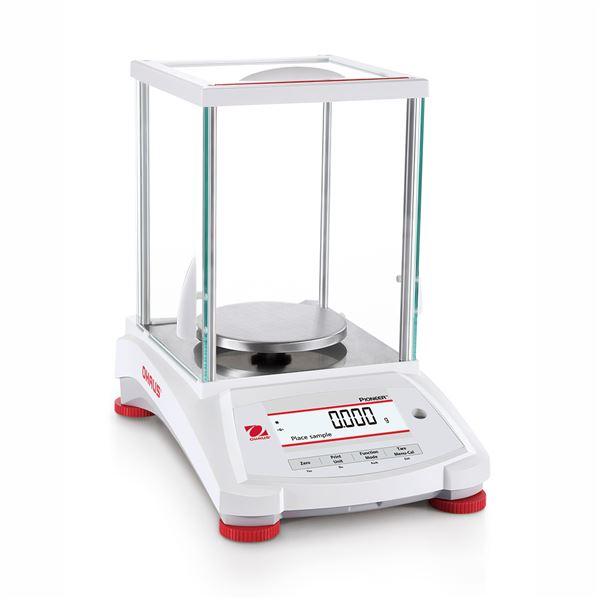
Accurate calibration is essential for achieving reliable weighing results with an analytical balance. The Ohaus PX224/E Pioneer Analytical Balance is designed for high-precision laboratory applications and uses external calibration (ExCal) to maintain measurement accuracy.
This guide explains how to properly calibrate the Ohaus PX224/E using certified external weights, following the official procedures outlined in the Ohaus PX Series Instruction Manual, rewritten in a clear, user-friendly, and SEO-optimized format.
Understanding Calibration on the Ohaus PX224/E
The PX224/E is classified as an ExCal analytical balance, which means:
-
It does not contain an internal calibration weight
-
Calibration must be performed using external certified calibration masses
-
The balance supports:
-
Span Calibration
-
Linearity Calibration
-
According to Ohaus, calibration should be performed:
-
During initial installation
-
After relocating the balance
-
When ambient conditions change
-
As part of routine quality control or compliance programs
Pre-Calibration Checklist (Critical for Accuracy)
Before beginning calibration, ensure the following conditions are met:
1. Warm-Up and Acclimatization
-
Allow the balance to warm up for at least 1.5 hours
-
Analytical balances require sufficient time to stabilize thermally
2. Proper Environment
-
Place the balance on a stable, vibration-free surface
-
Avoid drafts, fans, air conditioning vents, and direct sunlight
3. Level the Balance
-
Adjust the leveling feet until the bubble indicator is centered
4. Use the Correct Calibration Weights
For the Ohaus PX224/E, the official calibration values are:
-
100 g
-
200 g (full capacity)
Use ASTM Class 1 or equivalent certified calibration weights for best accuracy.

How to Perform Span Calibration on the PX224/E
Span calibration adjusts the balance using a zero point and a known reference weight.
Step-by-Step Span Calibration Instructions
-
Turn the Balance ON
-
Ensure the weighing pan is empty
-
-
Enter the Calibration Menu
-
Press and hold the Tare / Menu-Cal button
-
-
Select Span Calibration
-
Press Yes to enter the Calibration menu
-
Press No until Span Cal appears
-
Press Yes to confirm
-
-
Apply the Calibration Weight
-
The display will show “Place weights”
-
Place the displayed calibration mass (typically 200 g) on the pan
-
To use the half-capacity point (100 g), press the Function / Mode button
-
-
Confirm Calibration
-
The balance automatically captures the value
-
-
Remove the Weight
-
Follow the on-screen prompt to remove the calibration mass
-
-
Completion
-
The display will show “Calibration done”
-
Press any key to return to normal weighing mode
-
How to Perform Linearity Calibration(Recommended)
Linearity calibration improves accuracy across the entire weighing range, not just at one point.
When Linearity Calibration Is Recommended
-
Regulated or validated laboratory environments
-
After transport or relocation
-
If results vary at different weight levels
Linearity Calibration Overview
-
Enter the Calibration Menu
-
Select Linearity Cal
-
Follow on-screen prompts to apply:
-
Zero load
-
100 g
-
200 g
-
-
When complete, the display will show “Linearity done”
Best Practices for Analytical Balance Calibration
-
Use clean, temperature-stable calibration weights
-
Never touch weights with bare hands
-
Calibrate daily or weekly, depending on usage
-
Keep calibration records for GLP, ISO, GMP, or USP compliance
-
Re-calibrate after environmental or location changes
When to Use Professional Calibration Services
Professional calibration is recommended when:
-
The balance is used for ISO, GLP, GMP, or USP-regulated work
-
NIST-traceable calibration certificates are required
-
The balance fails internal performance or verification checks
Authorized calibration providers can verify performance and document compliance.
Final Thoughts
Proper calibration of the Ohaus PX224/E Pioneer Analytical Balance ensures dependable weighing results, regulatory compliance, and long-term instrument performance. By following Ohaus-approved procedures and maintaining proper environmental conditions, laboratories can achieve consistent and highly accurate measurements.