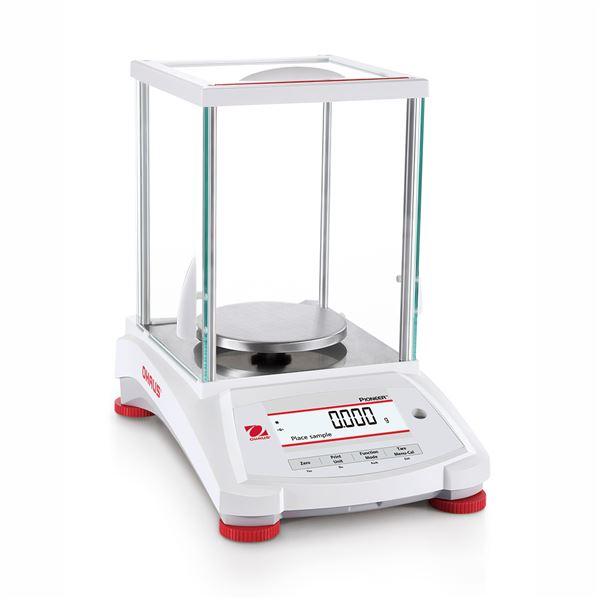
Accurate calibration is essential to ensure precise and repeatable weighing results when using the Ohaus PX163/E Pioneer Precision Balance. Whether you work in a laboratory, quality control environment, or industrial setting, proper calibration directly impacts compliance, data reliability, and measurement accuracy.
This guide explains how to calibrate the Ohaus PX163/E using the approved procedures outlined in the official Ohaus PX Series Instruction Manual, rewritten in a simple, practical format.
Understanding Calibration on the Ohaus PX163/E
The PX163/E is an ExCal (External Calibration) model, meaning it does not have an internal calibration weight. All calibrations must be performed using certified external calibration masses.
According to the manual, the PX Series supports:
- Span Calibration (most commonly used)
- Linearity Calibration (for higher accuracy across the weighing range
Before You Begin Calibration
Before starting any calibration procedure, ensure the following conditions are met:
1. Proper Warm-Up Time
-
Allow the balance to warm up for at least 30–60 minutes
-
Ensure the balance is connected to power and acclimated to room conditions
2. Stable Environment
-
Place the balance on a vibration-free surface
-
Avoid drafts, air conditioning vents, direct sunlight, and temperature fluctuations
3. Level the Balance
-
Use the built-in leveling feet
-
Center the bubble in the leveling indicator
4. Correct Calibration Weights
For the Ohaus PX163/E, the recommended span calibration points are:
-
100 g
-
150 g
-
160 g (full capacity)
Use certified calibration weights with appropriate accuracy class (ASTM Class 1 or equivalent).

How to Perform Span Calibration (PX163/E)
Span calibration adjusts the balance using one or more known external weights and is the primary calibration method for ExCal models.
Step-by-Step Instructions
-
Power ON the balance
-
Ensure the weighing pan is empty
-
-
Enter the Calibration Menu
-
Press and hold the Tare / Menu-Cal button
-
-
Select “Span Calibration”
-
Press Yes to enter the Calibration menu
-
Use No to scroll until Span Cal appears
-
Press Yes to confirm
-
-
Place the Calibration Weight
-
The display will prompt: “Place weights”
-
Place the displayed calibration mass (e.g., 100 g) on the pan
-
-
Confirm the Weight
-
The balance automatically captures the value
-
Follow any additional on-screen prompts if multiple weights are required
-
-
Remove the Weight
-
Once prompted, remove the calibration mass
-
-
Calibration Complete
-
The screen displays “Calibration done”
-
Press any key to return to weighing mode
-
How to Perform Linearity Calibration (Optional but Recommended)
Linearity calibration improves accuracy across the entire weighing range, especially useful for regulated or high-precision applications.
When to Use Linearity Calibration
-
After relocation
-
If accuracy varies at different weight ranges
-
During routine performance verification schedules
Steps Overview
-
Enter the Calibration Menu
-
Select Linearity Cal
-
Follow on-screen prompts to apply:
-
Zero load
-
Intermediate weight
-
Full-scale weight
-
-
Wait for “Linearity done” confirmation
Calibration Best Practices
- Always calibrate after moving the balance
- Perform calibration daily or weekly depending on usage
- Keep a calibration log for audits and compliance
- Use clean, temperature-stable weights
- Do not touch weights with bare hands (use tweezers or gloves)
When to Use Professional Calibration Services
Consider professional calibration if:
-
The balance is used for ISO, GLP, GMP, or USP compliance
-
You need NIST-traceable calibration certificates
-
The balance fails internal performance checks
Authorized service providers can verify accuracy and ensure regulatory compliance.
Final Thoughts
Calibrating the Ohaus PX163/E Pioneer Precision Balance correctly ensures accurate measurements, reliable results, and long-term instrument performance. By following the official Ohaus procedures and maintaining proper environmental conditions, your balance will deliver consistent and dependable weighing results.
For critical applications, routine calibration and documentation are essential best practices.